
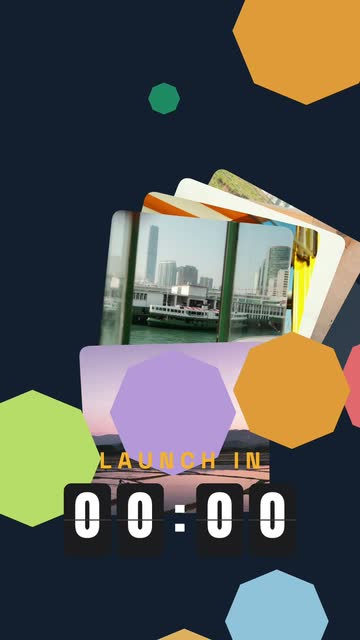
Start from a template
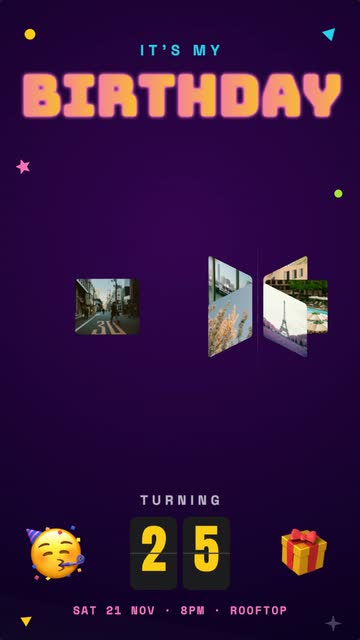
Pick one, swap in your photos and words, and export. Each template opens in a new project, ready to edit.
From a sentence to a finished video
Describe it, or build it by hand. Either way it exports as a polished MP4.
AI Design
NewDescribe your video in a sentence. AI plans the scenes, writes the copy and picks the motion styles, transitions and music, all built around your own photos.
AI Motion Styles
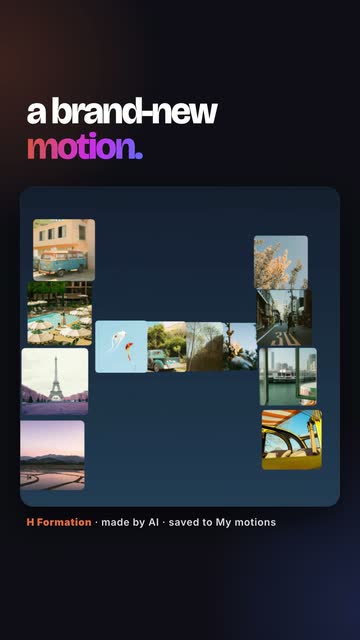
NewSay how your photos should move and get a brand-new motion style. Refine it, save it to My motions, and edit its prompt later to remix it.
Morph Text
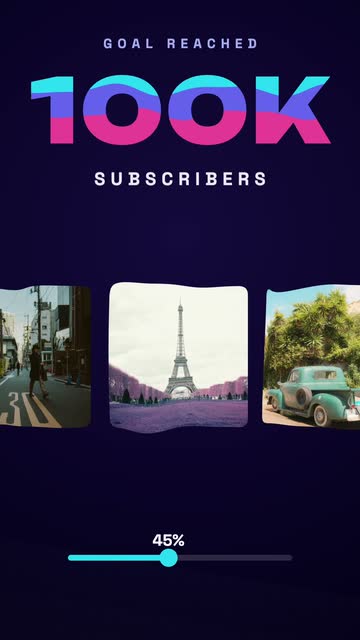
NewHeadlines whose letters move: they fill with liquid, bounce like rubber, swipe through, shatter into pieces or turn into a loading spinner. 14 effects, 48 variable fonts.
50+ Motion Styles
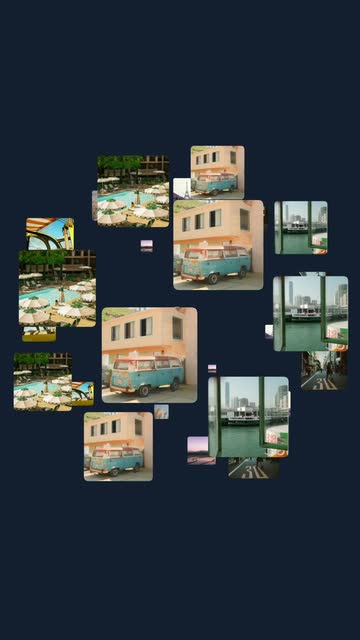
Carousels, orbits, spheres, sliding strips, stacks, peeling posters and page turns. Over 50 looping 3D styles across 8 categories, each one tunable and ready to post.
Scenes, Music & Effects
Chain scenes with transitions, add royalty-free music, particles, counters and card finishes, and export one MP4. Scenes are free on every plan.
Private, in Your Browser
Your photos never leave your device. Export 720p on Free or up to 4K at 60 fps on Pro, in any browser on your phone or computer, with nothing to install.
Plus text, shapes and emoji, Google Photos import, 9:16, 1:1, 4:5 and 16:9 exports and more. Browse templates or open the editor.
From photo to video in 5 steps
No keyframes, no render queue. Describe it or pick a start, drop in photos, make it yours, export.
Describe It, or Pick a Start
AI design · 70+ templates · BlankType what your video is about and AI designs every scene for you: copy, motion, transitions and music. Or open one of 70+ templates, or start from a blank canvas.
Add Your Photos
JPEG, PNG, WebP · Video clipsDrag and drop your images onto the floating card slots. Multi-upload fills every slot at once, Google Photos imports in a click, and dragging between slots reorders them.
Pick How They Move
50+ styles · AI motionChoose from over 50 looping 3D styles and watch the change land instantly, then dial in speed, direction and zoom. Want something new? Describe it and AI creates a motion style of your own.
Make It Yours
Morph Text · Scenes · Music · FXAdd text and Morph Text headlines, counters, emoji and shapes, choose a card finish, drop in particle effects, then add more scenes with transitions and a music track. The preview updates as you go.
Export & Post
9:16 · 1:1 · 4:5 · 16:9 · up to 4KHit Export, pick your ratio, and the MP4 encodes right in your browser: every scene and its music in one seamless video, frame for frame with the preview. Download it or send it to Google Photos.
Simple, honest pricing
Start free in 720p. Go Pro for exports up to 4K at 60 fps, every template and motion style, and 200 AI generations a month.
Try DepthLoop with a starter set of templates and motion styles. No credit card required.
Start Creating Free- ✓Export in 720p
- ✓Limited templates
- ✓Limited motion styles
- ✓10 AI generations to try
- ✓No credit card needed
Everything in DepthLoop, month to month. Cancel anytime.
Go Pro Monthly- ✓Export up to 4K at 60 fps
- ✓All templates
- ✓All motion styles
- ✓200 AI generations a month
- ✓Cancel anytime
Everything in Pro for a whole year — 42% less than paying monthly.
Go Pro Yearly →- ✓Export up to 4K at 60 fps
- ✓All templates
- ✓All motion styles
- ✓200 AI generations a month
- ✓Billed once a year
Prices in USD. Pro renews automatically every month or year — cancel anytime.
Questions, answered
Do exports have a watermark?
No. Free exports have no watermark and no DepthLoop branding. The Free plan exports in 720p and has a limited set of templates and motion styles; Pro unlocks up to 4K at 60 fps and everything else.
Can I use my videos commercially?
Yes. Videos you export are yours to use freely, including for commercial work and monetized posts, as long as you hold the rights to the photos and videos you put in them. The same goes for motion styles and designs the AI creates for you, and the background music library is royalty-free (CC0) with no credit needed.
Does Pro on the web also unlock DepthLoop in Canva?
No, they are separate purchases. DepthLoop Pro on the web (monthly or yearly) is tied to your DepthLoop account and applies at app.depthloop.com. Pro in the Canva app is a one-time purchase tied to your Canva account and applies only inside Canva. Buying one does not unlock the other, so pick the one you will use. The Google Workspace add-on opens the web editor.
Do my photos leave my device?
No. Your photos and videos are processed in your browser and the MP4 is encoded on your device. If you use the AI features, only the text description you type (and, when you refine a motion, its settings) is sent to Anthropic to generate the result. Your photos are never sent.
How do AI generations work?
Each motion style the AI creates uses one generation, and each scene of an AI-designed video uses one. Failed or declined requests are free. Free accounts get 10 to try; Pro gets 200 at the start of every month. Unused generations do not roll over.
Can I cancel Pro, and can I get a refund?
You can cancel any time from the customer portal link in your receipt email, and you keep Pro until the end of the period you paid for. Payments are non-refundable because access starts immediately, but if a technical problem stops you using paid features, email support@codebits.dev within 7 days of the charge and we will review it.
Available on Your Favorite Platforms
Use DepthLoop directly inside the tools you already work with. Install it on Canva or Google Workspace and start creating stunning animations.
Canva
If you have a Canva account, use DepthLoop as a Canva app and create animations right inside your designs.
Google Workspace
Install DepthLoop from the Google Workspace Marketplace and create animations directly within your Google apps.